
Doc / CSV / Python script (ZIP + PDF)Stolen AI provider keys get used to run someone else's workload on your bill. This kit gives an Oct 21 response section (Railway's provider-specific guidance), a per-provider revoke-and-review checklist, a key register with owners, expected models and caps, a spend-cap policy, and key_abuse_check.py, which reads your usage export and flags spikes, unexpected models or IPs, cap breaches and keys still active after a possible exposure. Never needs a key value. Includes a per-bot guide (Grok Bot, OpenClaw, ChatGPT, Claude, Cursor, n8n, Manus; Instinct, Muse and Dot marked unverified). v2: --afk-json output and module.json plug into the Agent Cyber Defense Dashboard.
What's inside
01_Oct21_Provider_Key_Response.md02_Spend_Caps_and_Key_Register_Policy.md03_Per_Bot_Guide.md04_Console_and_Cloud_Key_Exposure.mdkey_register.csvusage_example.csvkey_abuse_check.pymodule.jsonUPDATE_2026-10-22.md17_Inference_Key_Abuse_Kit.pdf: every document in one printable guide
Verify it works
python3 key_abuse_check.py --selftestprintsselftest ok.python3 key_abuse_check.py usage_example.csv --register key_register.csv --exposed-since 2026-10-21flags the example spike, unexpected model and unrevoked key, and exits 1.- Export daily usage per key from each provider console into the same columns (key ids or names only, never key values) and fill in your register.
- Set the caps in 02 at each provider, mark
provider_cap_set=yes, re-run until it exits 0. - Dashboard: add
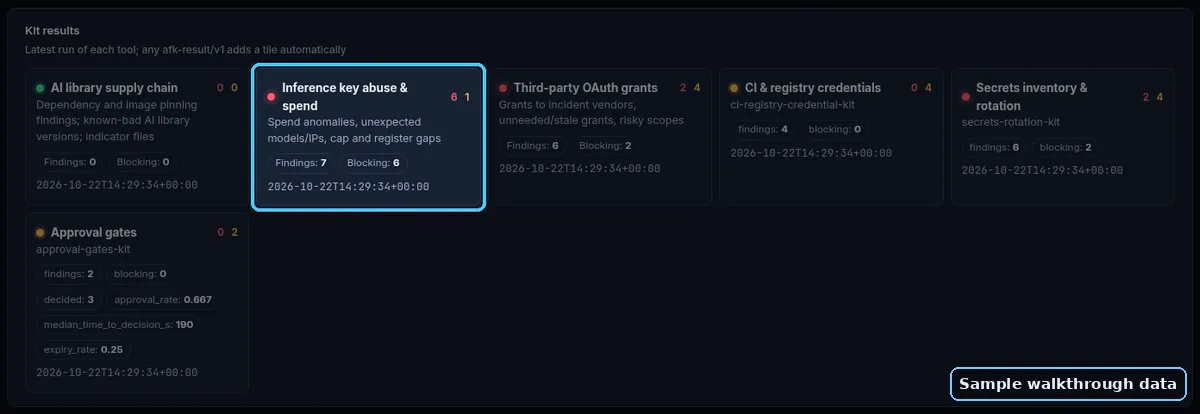
--afk-jsonto any command above and save the output asresults/inference-keys.json; load it in the Agent Cyber Defense Dashboard. Python 3.9+, no installs. Read-only: nothing is changed, sent or uploaded.
Oct 2026 update (section 04)
- [ ] Every key stored in a breached tool has been revoked at the provider, not just deleted in the tool.
- [ ] Usage reviewed from at least a day before the vendor's earliest stated exposure time.
- [ ] Cloud audit log searched for model-listing and model-invoke calls from unknown IPs (cloud-role keys only).
- [ ] Hard spend caps set before re-enabling.
Preview
First part of the main document, shown as-is:
Oct 21 incident response: AI provider keys
Facts we rely on (Oct 21, 2026; wording follows the sources)
- Railway says an unauthorized party may have accessed encrypted environment variables and, for some, obtained decrypted contents. It believes this is part of a series of attacks targeting platform companies to compromise AI inference providers, and notified upstream providers to revoke keys. It recommends all users roll every variable and private registry credential and review logs. (https://blog.railway.com/p/security-disclosure-wednesday-october-21st)
- Railway later reset bucket S3 credentials and the GitHub tokens it held, and invalidated all Railway API tokens. GitHub tokens stored as registry credentials still work on GitHub until you revoke them. (https://blog.railway.com/p/security-disclosure-recommendation-redeploy-buckets-and-reconnect-github-after-the-credential-reset, https://status.railway.com/incident/QH8L8B3E)
- Railway published provider-specific guides to check for unexpected Anthropic and xAI (Grok) usage. (https://blog.railway.com/p/security-disclosure-recommendation-check-for-unexpected-anthropic-usage, https://blog.railway.com/p/security-disclosure-recommendation-check-for-unexpected-grok-usage)
- LiteLLM says its release pipeline was compromised and
litellm==1.107.0(PyPI, 11:39-13:23 UTC) plus Docker/GHCR tagsv1.107.0,latest,main-latest,main-stable(from 11:46 UTC) contained credential-stealing malware. The attacker used leaked developer GitHub CLI OAuth tokens found in logs of an internal deployment. (https://docs.litellm.ai/blog/security-incident-oct-21-2026, https://osv.dev/vulnerability/MAL-2026-2144)
Steps for each provider key that lived in Railway, a LiteLLM proxy, or a host that ran litellm 1.107.0
- Disable or delete the key at the provider (not just in the host's dashboard). Railway's xAI guide notes disabling is reversible and keeps usage history, which helps the review. (https://blog.railway.com/p/security-disclosure-recommendation-check-for-unexpected-grok-usage)
- Check Admin keys too. Railway's Anthropic guide says to delete any Admin API key that may also have been exposed. (https://blog.railway.com/p/security-disclosure-recommendation-check-for-unexpected-anthropic-usage)
- Create the replacement scoped as narrowly as the provider allows (one workspace/team, one project), and deploy it. Confirm successful requests.
- Review usage from Oct 21 onward: requests, cost, models and, where available, source. Compare with your normal day. Use the kit script on the export.
- Set spend and rate limits now at each provider (policy 02) so a future leak has a ceiling.
- LiteLLM proxy users: rotate every provider key stored in the proxy DB plus master and virtual keys, per LiteLLM's notice. (https://docs.litellm.ai/blog/security-incident-oct-21-2026)
- If you see usage you didn't make, contact the provider's support with dates and key ids, and keep exports for your records.